

The Unforgivable Sin of Slow Load Times
Think of it like walking into a store — your goal is to window shop, but every time you try to move, someone comes between you and the store shelves, slowing you down. The changing room line can take endlessly long, the checkout line drags, and the doors don’t open quickly. How long would you stay? Now, take that frustration and stretch it, because people’s patience is even thinner online. That’s not just about minor inconveniences — a slow-loading website takes victim to engagement, trust, and loyalty in customers straight to your competitors.
Speed is the invisible bedrock of every single digital experience. However, businesses have often spent so much time on aesthetics, messaging, and personalization that they neglect the one thing that decides if users stick around long enough to care. According to research conducted by Google, 53% of mobile site visitors exit a page that takes more than 3 seconds to load. Each additional second of delay can cut conversion rates, tank search rankings and transform even most devoted visitors into one-and-done bounce rates.
But here’s the catch: personalization, which improves customer experience, is usually a load time add. So how do you strike a balance between relevance and speed? Find that balance where you can give a hyper-personalized experience without sacrificing performance. In this blog, we’ll cover: Why load speed is a silent CX killer (and the true cost of slow sites), how to diagnose performance issues before they affect engagement, and tested methods to optimize speed—without compromising personalization, so let’s dive in!
Load Speed — The Silent CX Killer
A sluggish website isn’t merely an annoyance to customers—it actively harms customer experience in ways most companies don’t appreciate. Buggy systems have a one-second delay and another second delay and another second delay, and these translate to frustrations, higher bounce rates, and loss of brand trust. Yet, the irony is, that while companies obsess over aesthetics, messaging, and content, they tend to overlook one key detail: Nothing matters if users bounce before the page even loads!
In this section, we will discuss why slow load speed is not just a technical problem but also a psychological and economic one. We’ll explore the subtle, insidious effects of delays on some of the longest-standing aspects of customer perception, patience, and engagement, grounded in real-world data.
The Psychology of Waiting
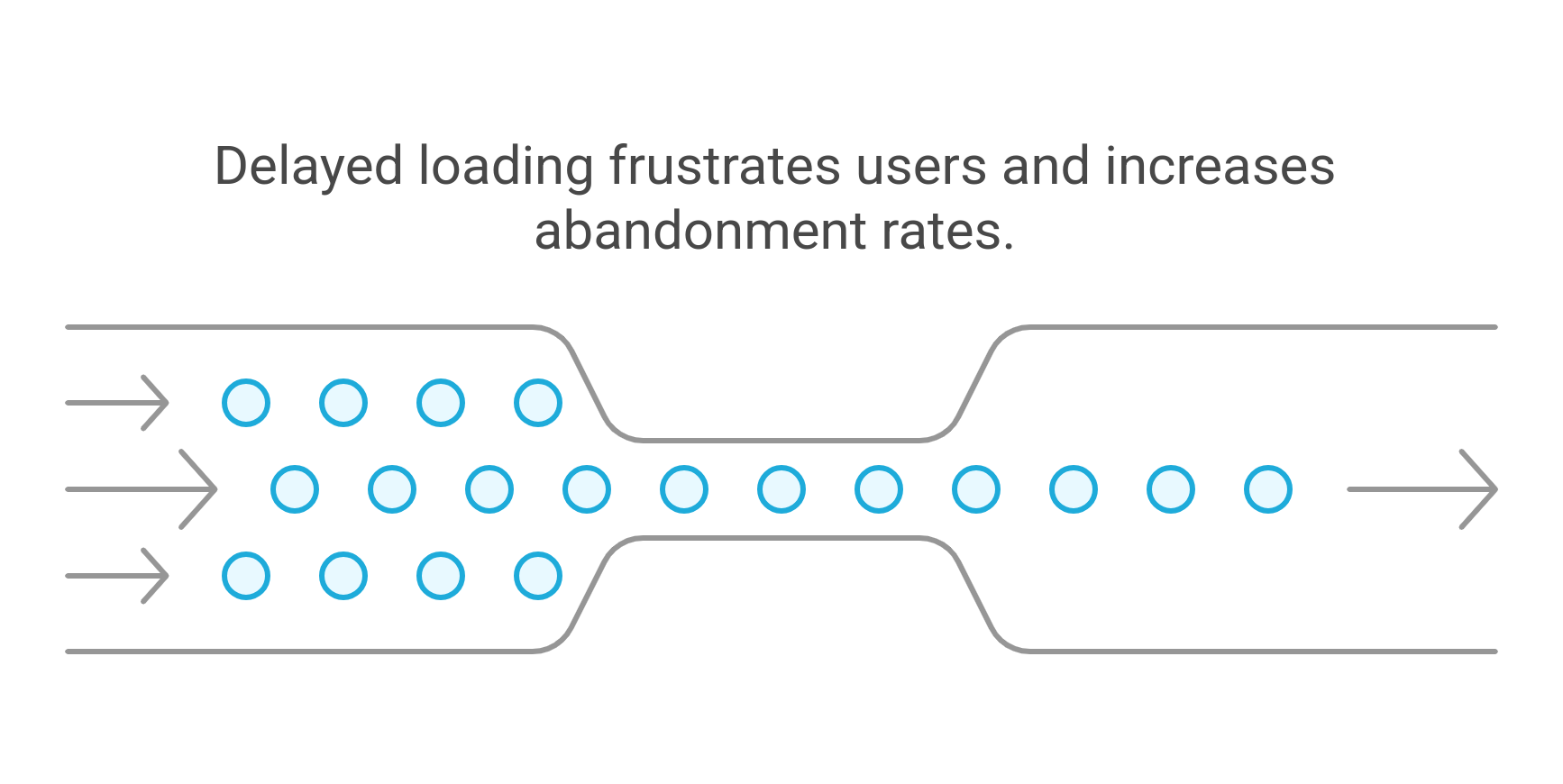
Delays aren’t simply irritating — they provoke an emotional reaction. Even a 100-millisecond delay (the blink of an eye, so to speak) has been shown to amplify user aggravation. Here’s why:
"The Pain of Waiting" Effect: While waiting makes people endure more time than actual seconds. Users may feel their 4 second wait time lengthens to 10 seconds if the page fails to load without delay as expected. Your audience develops a negative first impression due to this mental delay effect they experience during the waiting period.
Cognitive Load & Patience Thresholds: Any page loading delay requires users to exhaust more mental strength while deciding to stay or exit. People abandon websites quickly when their minds reach overload in this digital speed-paced era. Research demonstrates that when you make people exert a bit more effort they are more likely to abandon what they were doing no matter what task it was.
Expectation vs. Reality: Thanks to near-instant experiences from platforms like Google, Amazon, and Instagram, people now expect speed as a default. If your site doesn’t load as fast as these benchmarks, it feels broken—even if it’s objectively no slower than competitors. Users don’t compare your speed to industry averages; they compare it to the fastest experiences they’ve ever had.
In short, slowness doesn’t just cause drop-offs—it creates frustration, increases effort, and sets your brand up for failure before users even engage.
The Cost of Slow Load Speed for Business
Slow load times don’t just annoy users—they kill engagement, revenue and search rankings. When businesses all around are focusing on their content and conversion tactics, it becomes easy to overlook the simplest growth lever: speed. Here’s what’s at stake:
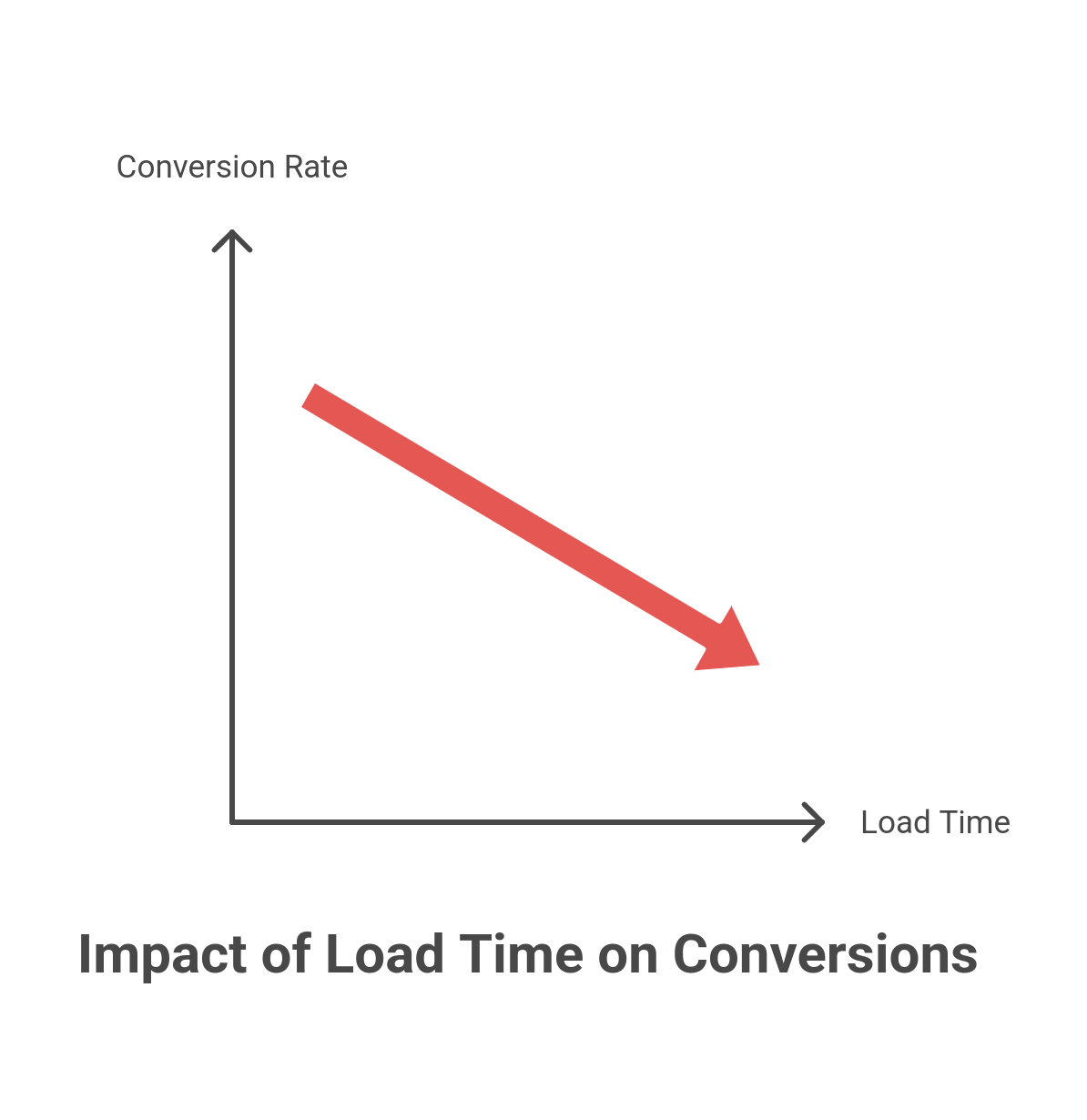
Bounce Rate Nightmare: Attention spans are razor-thin. 53% of users abandon a mobile page that takes longer than 3 seconds to load. That means if half your audience is on mobile and your site is slow, you’re losing over half of them before they even see your content.
Revenue Drain: A 1-second delay can cut conversions by 7%. For an e-commerce site making $100K per day, that’s $2.5 million in lost sales per year—just because of speed. B2B brands aren’t immune either; longer load times mean fewer demo requests, lower engagement, and lost deals.
SEO & Google’s Wrath: EO & Google’s Wrath: Speed is not only for users—it’s a ranking factor. So your ranking depends on Google’s Core Web Vitals (LCP, FID, CLS). If your site is slow, not only will you lose visitors—you will lose search visibility, which makes attracting new ones even more difficult.
A slow site doesn’t just hurt CX—it’s a silent revenue killer. The question isn’t whether load speed matters. It’s how much business you’re already losing because of it.
The Impact of Load Speed on CX
Load speed is one of the most critical yet often overlooked factors in customer experience (CX). A website that takes too long to load creates immediate friction, causing frustration, abandonment, and lost revenue. In an era where users expect near-instant digital experiences, even a slight delay can lead to significant consequences.
- First Impressions Matter: Speed shapes how visitors perceive your brand from the very first interaction. A fast-loading site feels seamless and professional, while a slow one signals inefficiency and lack of reliability. Studies show that users form an opinion about a website within 50 milliseconds—if your site is sluggish, that first impression is already negative.
- Engagement and User Behavior: Slow load times increase bounce rates and reduce engagement. Google research found that when load time goes from 1 second to 3 seconds, the probability of a bounce increases by 32%. If it reaches 5 seconds, the likelihood jumps to 90%. When visitors leave before exploring, they don’t convert, sign up, or engage with your content.
- Conversions and Revenue Impact: Speed is directly tied to conversions. A famous study by Amazon revealed that every 100-millisecond delay cost them 1% in sales. While large enterprises feel this impact at scale, even smaller businesses suffer. A slow website means fewer leads, lower sales, and a frustrating checkout experience that drives potential customers away.
- SEO and Search Visibility: Google considers page speed as a ranking factor in search results, meaning slow sites are less likely to appear on the first page. With Google’s Core Web Vitals focusing on speed and stability, a sluggish website can result in decreased organic traffic. The slower your site, the harder it is to compete for top-ranking positions.
- Customer Retention and Loyalty: Beyond first impressions and conversions, load speed impacts long-term loyalty. A frustrating digital experience reduces trust, making users less likely to return. In contrast, a fast, seamless website improves satisfaction, increasing the likelihood of repeat visits and brand advocacy.
Why It Matters: Every extra second of load time chips away at customer experience, leading to higher abandonment rates, lower conversions, and weaker brand perception. Speed isn’t just a technical optimization—it’s a core business priority. By ensuring a fast and responsive website, companies can create smoother digital experiences that drive engagement, trust, and long-term growth.
How to Balance Website Personalization and Load Speed Without Compromising CX
Personalization is the foundation upon which modern customer experiences are crafted. But the more personalized the experience, the more it taxes processing. Dynamic content, behavioral targeting, and AI-based recommendations demand real-time data-fetching, JavaScript execution, and invocation of third-party integrations. The resultant outcome? A heavier payload leading to slow performance risks.But removing personalization is also not the answer. Relevance keeps users engaged, drives conversions, and facilitates the development of long-lasting customer relationships. Hence, the real challenge is:
Can You Have Both Speed and Personalization?
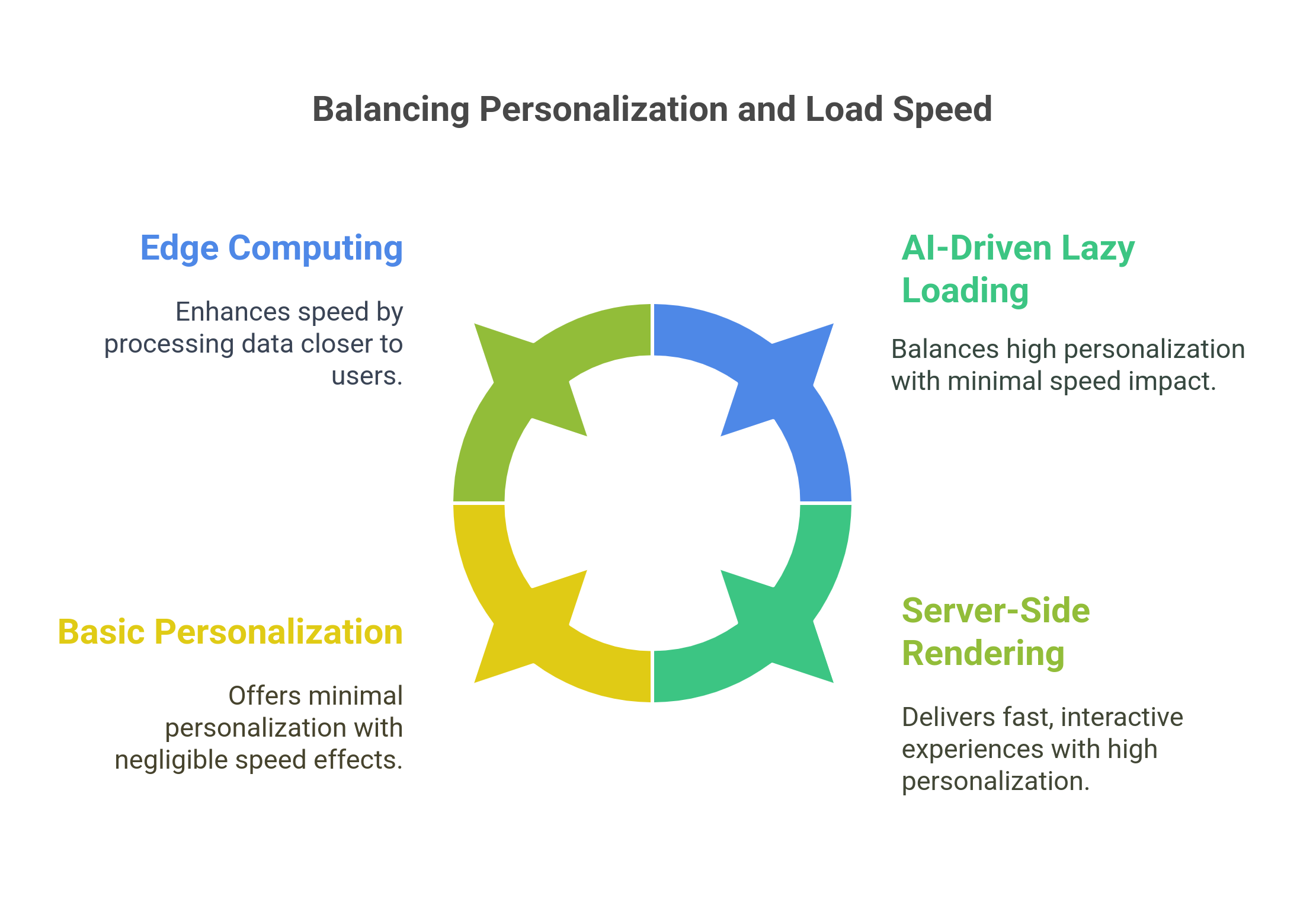
Absolutely. Here’s how:
- Edge Computing: With this technique, data will not be downloaded from a centralized server; rather, it would be done close to the user. Edge computing provides personalized experiences loaded with near-zero latency, thus speeding things up without losing relevance.
- AI-Powered Lazy Loading: Not everything that is personalized should load at once. As the content is most important, everything else may take its time to come by. AI-powered lazy loading solves this by first paying attention to the critical content. The rest of the personalized elements will load when needed so that one can have fast initial load times without pulling dynamic content from the initial load.
- Server-Side Rendering (SSR): Without letting the browser process personalization scripts, get pages pre-rendered on the server. Indeed this guarantees a fully interactive experience at a much faster rate even with good heavy usage of personalization items.
The bottom line? Personalization and speed aren’t mutually exclusive—but they require a smarter, more strategic approach. The key is optimizing where and how personalization loads, so customers get both the relevance they crave and the instant experience they expect.
Tools for Identifying Load Speed Issues Before They Harm CX
Load speed cannot be improved without finding what slows down your website. Some businesses might be changing certain aspects of their sites blindly; removing features or redesigning elements without getting to the bottom of the problem. Such efforts are mostly futile with little improvement actually to show. One should rather analyze and use the relevant diagnostic tools to target those bottlenecks on which the site performance is hinged.
The Tools You Need
Google PageSpeed Insights: Google PageSpeed Insights (PSI) provides a performance score from 0 to 100 based on various speed-related factors. It evaluates both mobile and desktop experiences, offering detailed recommendations to improve load time. The tool measures Core Web Vitals, which include:
- Largest Contentful Paint (LCP): How long it takes for the largest visible element (e.g., an image or heading) to load. A slow LCP means users wait longer to see meaningful content.
- First Input Delay (FID): Measures how quickly your website responds to a user’s first interaction (e.g., clicking a button). If scripts block this process, users experience lag.
- Cumulative Layout Shift (CLS): Tracks how much your layout shifts unexpectedly while loading. This is important for maintaining a smooth user experience.
Example: If your PageSpeed score is low due to a high LCP time, PSI might recommend compressing large images or reducing third-party script delays. These fixes can help content appear faster, reducing user frustration.
How to use it: Visit Google PageSpeed Insights, enter your website URL, and analyze the results.
Lighthouse (Chrome DevTools) : Lighthouse is a built-in Chrome tool that provides a deeper analysis of speed issues, highlighting specific areas for improvement. Unlike PageSpeed Insights, which offers a high-level assessment, Lighthouse breaks down what’s consuming time during page load. Key performance areas it analyzes:
- Render-blocking resources: Identifies CSS or JavaScript files that delay page rendering.
- JavaScript execution time: Shows if scripts are slowing down interaction speed.
- Unused code: Flags scripts and styles that load but are never used, increasing load time.
Example: Running a Lighthouse audit might reveal that your page loads unnecessary third-party scripts on every visit. A possible fix could be deferring non-essential scripts so that they load after the main content has appeared.
How to use it: Open Chrome, right-click anywhere on the page → Inspect → Go to the “Lighthouse” tab → Run an audit.
WebPageTest: While PSI and Lighthouse provide a list of recommendations, WebPageTest gives a visual representation of how your page loads, called a waterfall chart. This chart displays the order and timing of each element’s loading process, making it easier to spot bottlenecks.
Key benefits:
Identifies slow-loading elements: Shows which resources (images, scripts, fonts) are delaying the page.
Reveals blocking scripts: Highlights if a third-party script prevents the rest of the page from loading.
Breaks down connection time: Helps diagnose issues with server response speed and content delivery.
Example: A waterfall chart may reveal that a tracking pixel from an analytics tool takes three seconds to load before any images appear. To fix this, you could move non-essential scripts to load asynchronously, ensuring they don’t block key elements.
How to use it: Visit WebPageTest, enter your URL, and analyze the waterfall report.
Real User Monitoring: Unlike lab-based tools, which simulate website performance under controlled conditions, Real User Monitoring (RUM) gathers real-world data from actual visitors. This helps businesses understand:
- How performance varies across different locations and devices
- If mobile users experience slower load times than desktop users
- How long users wait before interacting with your site
- RUM tools provide field data rather than estimates, making them crucial for diagnosing regional or network-based issues.
Example: If your RUM data shows that visitors from Asia experience significantly slower load times than those in North America, this could indicate a need for a Content Delivery Network to serve content from closer locations.
Key Metrics That Matter
To accurately measure load speed and its impact on customer experience, it’s important to focus on the right performance indicators. Google’s Core Web Vitals are the most critical speed metrics, as they directly influence user perception, engagement, and even search rankings.
Largest Contentful Paint: LCP measures the time it takes for the largest visible element on the page to fully render. This could be a hero image, a headline, or a block of text. The faster this loads, the sooner users can engage with the page.
- Good LCP: Under 2.5 seconds
- Needs Improvement: Between 2.5 and 4 seconds
- Poor: Over 4 seconds
Why It Matters: Users judge a website’s speed based on when they first see meaningful content. If they’re stuck staring at a blank screen or a loading spinner, frustration builds. A slow LCP increases bounce rates, meaning potential customers leave before even exploring the page.
How to Improve LCP:
- Optimize images by compressing them and using modern formats like WebP or AVIF.
- Implement lazy loading so images load only when they appear in the viewport.
- Use a Content Delivery Network to serve assets from locations closer to the user.
- Minimize render-blocking JavaScript and CSS, as they delay content from loading.
First Input Delay: FID measures the delay between a user’s first interaction (such as clicking a button or entering text) and the browser’s response. A page might look fully loaded, but if it remains unresponsive when users try to interact, it leads to frustration.
- Good FID: Under 100 milliseconds
- Needs Improvement: Between 100 and 300 milliseconds
- Poor: Over 300 milliseconds
Why It Matters: If a user clicks a call-to-action button and nothing happens immediately, it creates a sense of lag, making the site feel sluggish. This is especially critical for e-commerce sites and lead generation forms, where delayed interactions can result in lost conversions.
How to Improve FID:
- Reduce JavaScript execution time by breaking scripts into smaller chunks.
- Implement browser caching so frequently used scripts don’t reload unnecessarily.
- Defer loading of non-essential scripts, so they don’t interfere with initial interactions.
- Use a Content Delivery Network (CDN) to serve JavaScript files faster.
Cumulative Layout Shift: CLS measures how much the page layout shifts unexpectedly during loading. If a user tries to click a button and it suddenly moves because a late-loading ad or image shifts the layout, it creates a frustrating experience.
- Good CLS: Below 0.1
- Needs Improvement: Between 0.1 and 0.25
- Poor: Over 0.25
Why It Matters: Unstable layouts disrupt user experience, especially on mobile devices where screen space is limited. Sudden layout shifts can cause misclicks, leading to errors in form submissions, misplaced orders, or frustration in navigating the site.
How to Improve CLS:
- Reserve space for images, videos, and ads by defining width and height attributes.
- Use CSS aspect ratio boxes to maintain space allocation even before content loads.
- Avoid injecting dynamic content (like banners or ads) above existing elements.
How to Fix Load Speed Without Wrecking CX
Improving load speed shouldn’t come at the cost of customer experience. A fast website that lacks personalization or engaging elements won’t drive conversions, just as a highly personalized but slow site will frustrate users. The key is balancing performance and experience. Here’s how to do it:
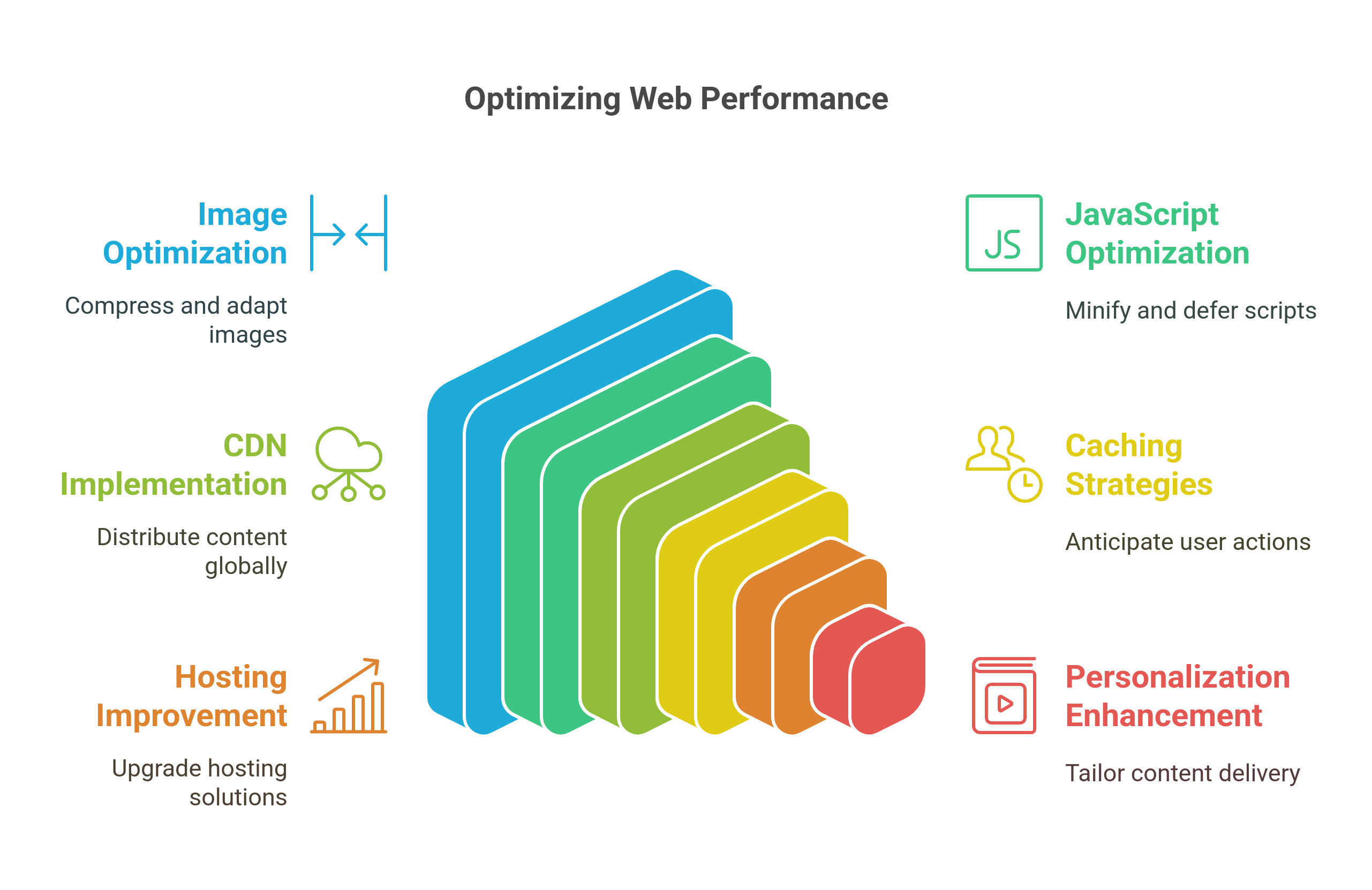
Optimize Images & Media
Images and videos are often the heaviest elements on a webpage. Optimizing them is one of the fastest ways to reduce load time without compromising quality.
Compress images without sacrificing clarity – Use next-gen formats like WebP and AVIF instead of PNG or JPEG. These formats offer the same visual quality at a fraction of the file size.
Use adaptive images – Serve different image sizes based on the user's device. Mobile users don’t need ultra-high-resolution images meant for desktop screens.
Lazy load below-the-fold media – Load only what’s visible on the screen first. Any images or videos further down the page should load only when the user scrolls.
Minify, Defer & Optimize JavaScript
JavaScript is necessary for interactivity but can also slow down page load times if not optimized properly.
Minify JavaScript & CSS – Remove unnecessary characters and spaces to make files smaller and load faster.
Defer non-critical JavaScript – Scripts that aren’t needed immediately (like analytics tools) should load after the main content.
Eliminate render-blocking resources – Ensure that the most important content (above the fold) loads first before other scripts.
Leverage a Content Delivery Network
A CDN distributes your website’s content across multiple data centers worldwide, reducing the time it takes to load pages for users in different locations.
Why CDNs Matter: If your servers are based in New York, a visitor from Singapore will experience slow load times. A CDN caches content on global servers, ensuring the nearest data center delivers the content.
Top CDN Providers: Cloudflare, Fastly, AWS CloudFront.
Implement Advanced Caching Strategies
Caching reduces load time by storing frequently accessed data so it doesn’t have to be fetched from the server every time.
Browser caching – Saves static files (like CSS, and images) on the user’s browser so returning visitors experience faster load times.
Edge caching – Stores content on CDN edge servers, ensuring pages load from the nearest server instead of the origin.
Preloading & prefetching – Predicts the user’s next action and loads content in advance, making interactions feel instant.
Improve Hosting & Reduce Server Response Time
TTFB (Time to First Byte) measures how fast a server responds to a request. A slow server response can make even a well-optimized website feel sluggish.
Upgrade your hosting – Shared hosting is cost-effective but slow. Consider VPS, dedicated servers, or cloud hosting (AWS, Google Cloud, DigitalOcean) for faster performance.
Use HTTP/3 – The latest version of HTTP improves speed, security, and connection efficiency compared to HTTP/2.
Optimize DNS lookups – A slow DNS lookup delays page loading. Services like Cloudflare DNS or Google Public DNS improve response time.
Use Performance-Focused Personalization
Many personalization strategies slow down page load times because they rely on JavaScript-heavy client-side processing. The solution is performance-first personalization methods:
Server-Side Personalization – Instead of processing personalization in the browser (which increases load time), personalization is handled on the server before content is sent to the user.
AI-Powered Content Delivery – Predict and pre-load personalized content based on user behavior. If a visitor frequently browses pricing pages, pre-load related content in the background.
Progressive Personalization – Show a fast-loading, generic experience first, then load personalized elements dynamically once the page is interactive.
Conclusion
In reality, website speed is not simply a technical issue but rather a core pillar of customer experience. A slow-loading site becomes a place of frustration among visitors, raises their bounce rates, and weakens trust in your brand. Apart from user frustration, poor performance results in lost sales because a delay of even one-second leads to significant drops in conversions. Even the search engines punish slow-moving sites by reducing visibility and making it hard to get organic traffic to the site. Since everyone nowadays is expecting near-instant experiences in the digital world, load speed cannot be ignored.
However, speed shouldn't be equated with personalization. Truth be told, it is about finding the right balance-the use of performance-based personalization such as server-side-rendering, AI-enabled lazy-loading, and advanced caching strategies. If load speed can be optimized without interfering with relevance, users will experience fast and engaging sites with seamless experiences that translate into customer satisfaction and growth in business. Speed isn't just a matter of performance anymore-it's about ensuring the best possible experience at every touchpoint.


